What’s New?
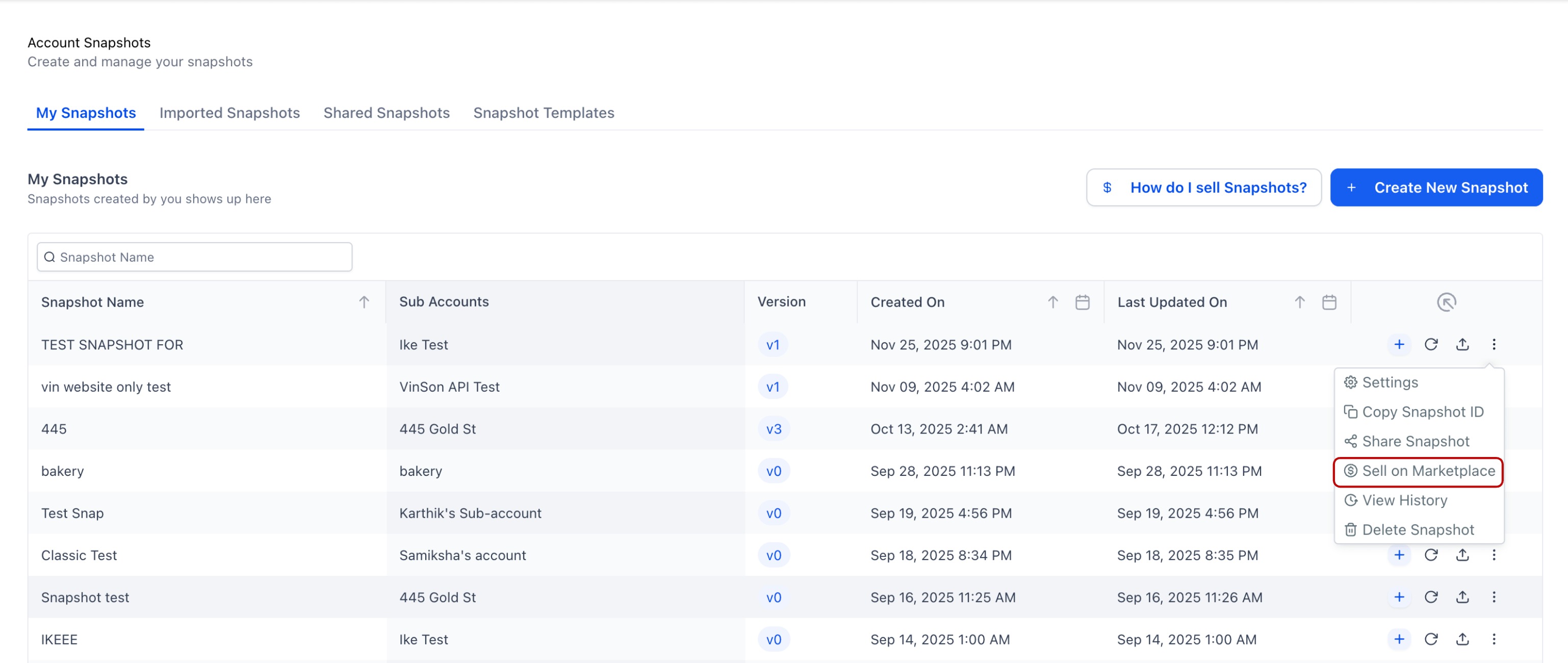
We’ve streamlined the Snapshot listing flow so sellers can go from “Sell on Marketplace” → Listed with fewer clicks and less navigation.
Key Improvements
- One-click start from Account Snapshots: Selecting Sell on Marketplace now immediately begins the Snapshot listing journey.
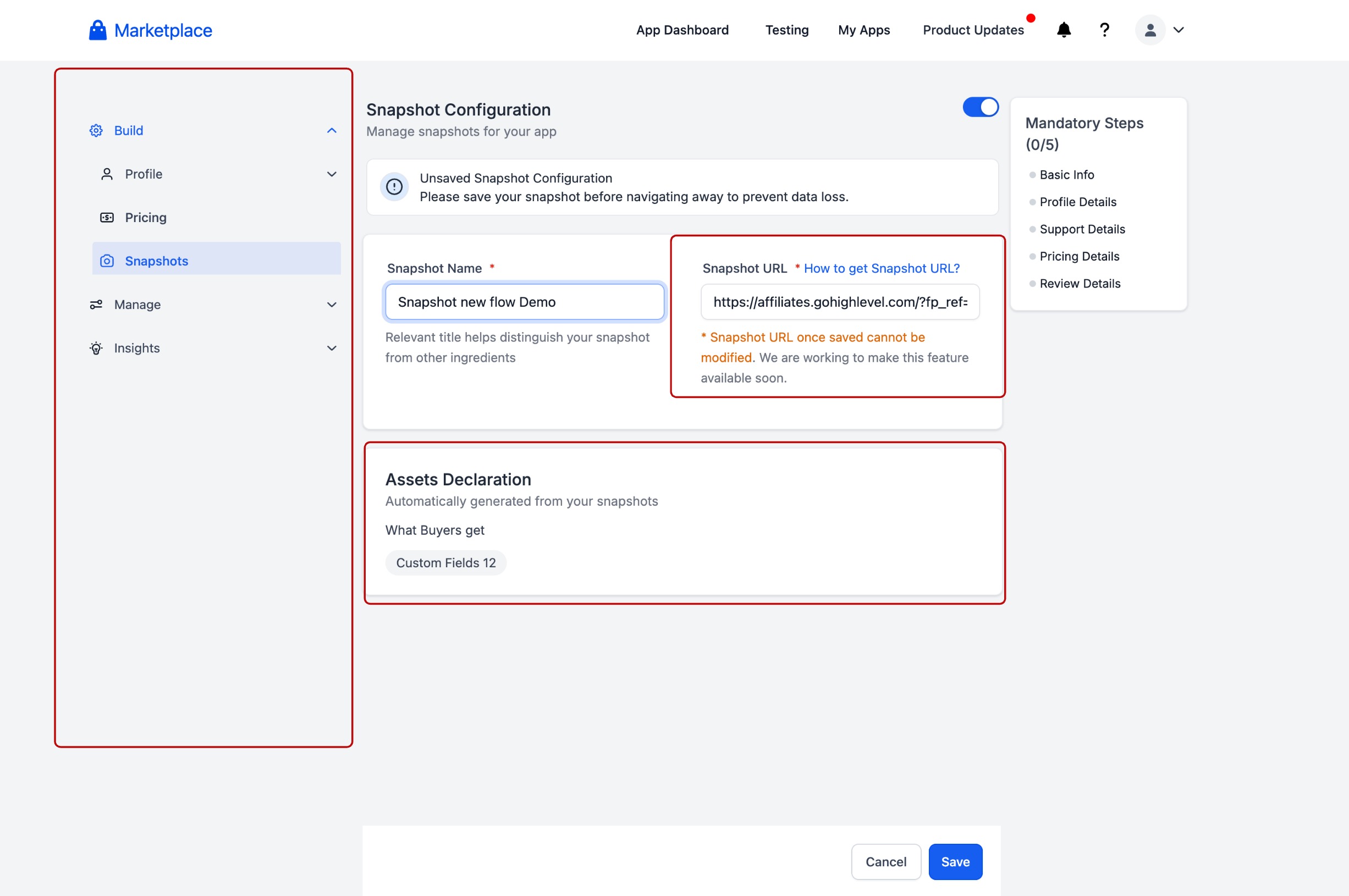
- Direct landing in Snapshot Listing Module: In the Developer Portal, sellers land directly in the Snapshot listing module (no extra detours through other listing steps).
- Assets surfaced upfront: The listing module clearly shows the assets packaged in the Snapshot early in the flow, so sellers know exactly what’s included before continuing.
- Snapshot-only listing path: A dedicated Snapshot listing route reduces steps and removes unnecessary screens.
Why This Matters
- Faster time-to-list: Fewer steps means sellers can publish Snapshot listings more quickly.
- Less confusion, fewer mistakes: Clear, Snapshot-specific steps reduce missed fields and wrong navigation paths.
- More transparency: Surfacing packaged assets upfront helps sellers validate what buyers will receive before listing.
What's Next?
- We’ll continue improving the Snapshot listing experience so the App listing better communicates the Snapshot’s value proposition, helping buyers understand the “why” as clearly as the “what.”
Was this article helpful?
That’s Great!
Thank you for your feedback
Sorry! We couldn't be helpful
Thank you for your feedback
Feedback sent
We appreciate your effort and will try to fix the article